


OX PRO — Decision Environment
OX PRO — Decision Environment
Calm, preset-driven TradingView structure for discretionary traders. No signals.
ACCESS + TIMING
Invite-only access is granted using your TradingView username. Typically within 12 hours (often sooner).
PLAN RULES
7-Day Pass starts when access is granted and runs 7 calendar days.
Membership access stays active while your membership is active.
Couldn't load pickup availability
Share


Replay Demo
OX PRO Membership
OX PRO is a calm, decision-first TradingView environment built for discretionary traders who care more about process than noise.
Not a signal service. No entries/exits. No targets/stops. No performance claims.
Access + timing (invite-only)
- Access is granted using your TradingView username.
- Timing: access is typically applied within 12 hours (often sooner).
- 7-Day Pass: starts when access is granted (not at checkout) and runs 7 calendar days.
- Membership: access stays active while your membership is active (cancel anytime).
What it’s for
- Keep the chart readable while still maintaining structure.
- Carry key reference levels forward without constantly re-marking.
- Reduce decision load with fewer knobs and calmer defaults.
Who it’s for
- Intermediate-to-advanced discretionary traders
- Traders who prefer clean charts and repeatable routines
- Anyone tired of tools that add complexity instead of clarity
What you get (modules)
Two modules. One mental model.
-
Decision Levels
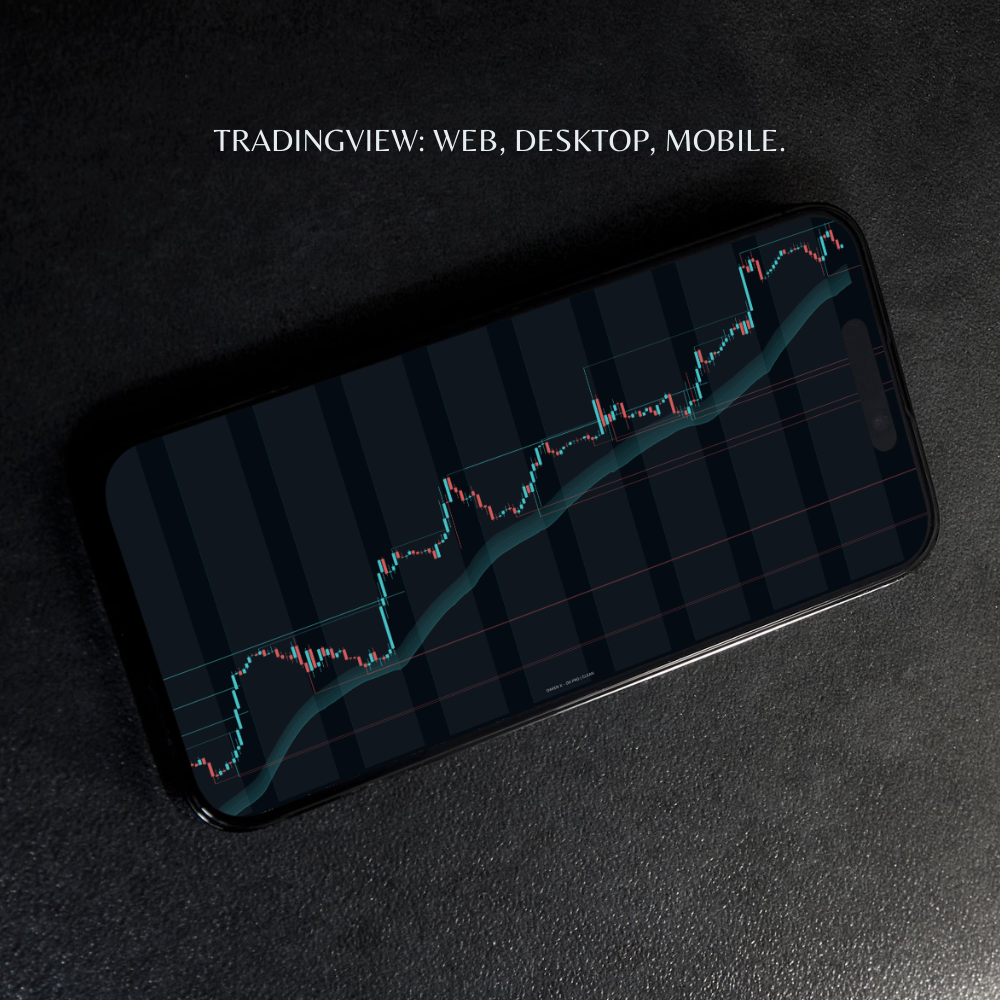
- Prior-period reference levels (daily/weekly, preset-controlled)
- Pivot highs/lows that extend forward
- Distance-based fading so far-away structure stays quiet
-
Trend Context (Bands)
- A preset-driven trend band designed to stay calm across timeframes
- Timeframe-aware internal logic (no tuning required for most traders)
- Optional “hide candles when neutral” for a quieter screen
How “filled” works (important)
- Filled means close-through. Wicks do not count.
- Prior-period levels are strict: they only “close” when an end-of-session close breaks them.
- This is housekeeping for clarity — not a signal.
Presets (the product)
OX PRO is calm by default. Presets are the system.
-
CLEAN — the quietest posture
Default bias: fewer lines, higher-timeframe structure. Weekly levels stay; daily levels are suppressed. -
BALANCED — more context, still disciplined
Weekly + daily structure together (bounded, still readable). -
DEEP — the most structure while staying bounded
Max structure on-screen (still no “signals”).
Rule: when Use preset defaults is ON, presets own the engine. Turn it OFF only if you want to override a few advanced controls.
Why Membership
- One install, maintained over time. You’re buying a stable environment, not a one-off script.
- Coherence. The system evolves as a whole, not as random add-ons.
- Less tool sprawl. OX PRO is designed to reduce indicator juggling.
Best fit: Yearly is built for traders who want OX PRO to be their default chart environment.
Where to find it in TradingView
- After access is granted: Indicators → Invite-only scripts → “OX PRO [OAKEN X]”
- Add to chart and start on CLEAN.
- If you don’t see it yet, refresh/restart TradingView and re-check Invite-only scripts.
Support boundary
- Support covers: access issues, bugs/incorrect plotting, and clarification of documented behavior
- Support does not cover: how to trade it, strategy guidance, entries/exits, targets/stops
Important note: OX PRO is a toolset for clarity. It does not imply trades. You own risk and execution.

CLARITY

CALM

CLEAN
OX PRO
FAQ
Q: Does OX PRO give signals?
A: No. OX PRO provides structure and context only. You make the decisions and manage risk.
Q: What counts as “filled”?
A: A level is considered filled only when price closes through it. Wicks don’t count.
Q: Why do prior day/week levels stay up after a wick?
A: That’s intentional. Prior-period levels only “close” when an end-of-session close breaks the level.
Q: Why does CLEAN hide daily levels by default?
A: CLEAN is designed to reduce line density. Daily levels can add noise, while weekly levels often act as a quieter anchor.
Q: How do presets work?
A: When “Use preset defaults” is ON, the preset owns the engine. Turn it OFF only if you want to override a few advanced controls.
Q: What markets does it work on?
A: Any market TradingView supports. OX PRO is structure-first and not tied to a specific instrument.
Q: How do I get access after purchase?
A: After purchase, access is granted to your TradingView username. In TradingView, go to Indicators → Invite-only scripts → “OX PRO [OAKEN X]”.
Q: How long does access take?
A: Access is typically applied within 12 hours. After that, refresh/restart TradingView and re-check Invite-only scripts.
Q: What does support include?
A: Access issues, bugs/incorrect plotting, and clarification of documented behavior.
Q: What does support not include?
A: Strategy guidance, entries/exits, targets/stops, or “how to trade” coaching.